

Why Do You Need Credentials?
PayGlocal uses a JWT token-based integration model for every API call. Before your payment request reaches PayGlocal’s servers, it goes through two steps:Encrypt your payload (JWE)
header.encryptedKey.iv.ciphertext.tag.Sign the encrypted payload (JWS)
header.payload.signature.Send the request
x-gl-token-external header. The JWE goes in the request body.PayGlocal verifies your signature, decrypts the payload, and processes the payment.How to Get Each Credential
Merchant ID (MID)
Log in to your GCC dashboard
Open My Account and go to TID Details
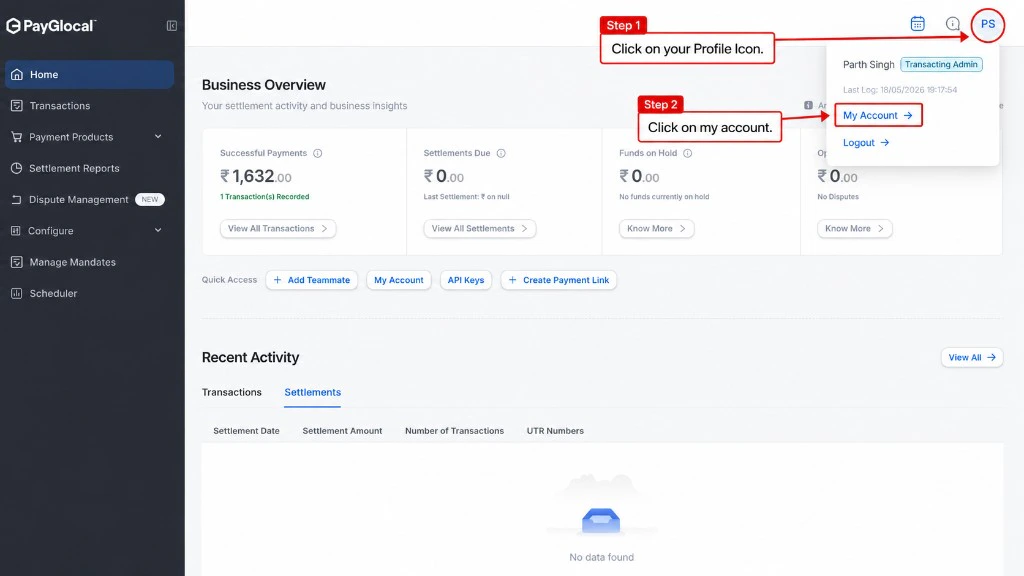
Open the profile menu and select My Account
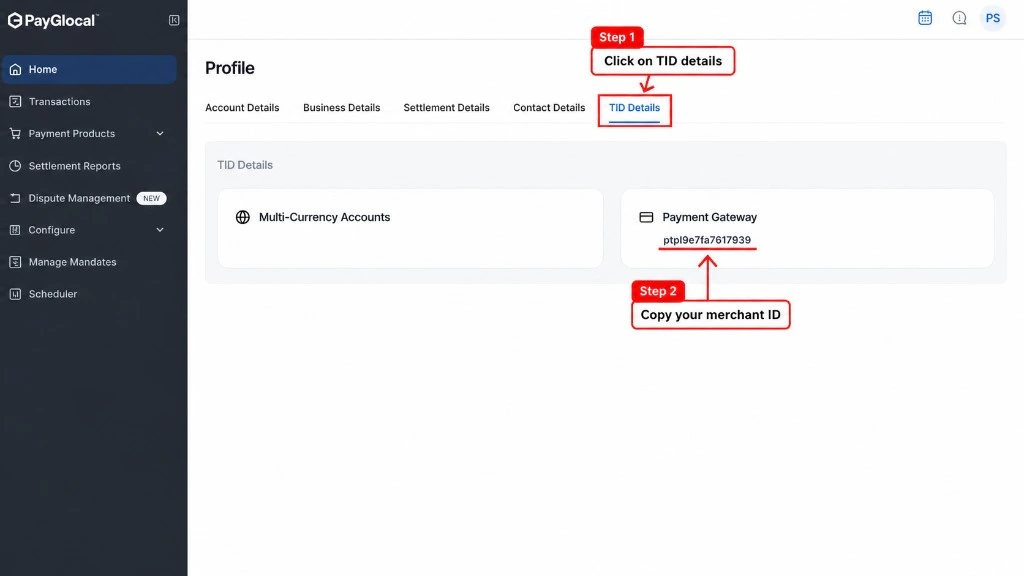
Open TID Details
Copy your Merchant ID
Public Key & Private Key
Both keys are managed from the Key Management System in GCC. You’ll download PayGlocal’s public key first, then generate and download your own private key.Downloading Public Key
Navigate to Key Management System
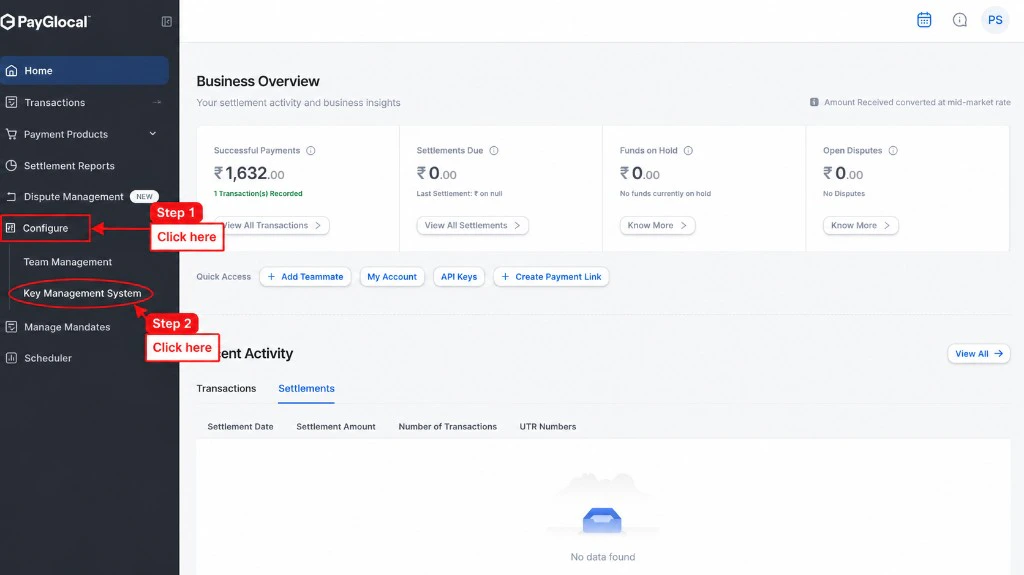
Open Configure in the left sidebar
Download PayGlocal's Public Key
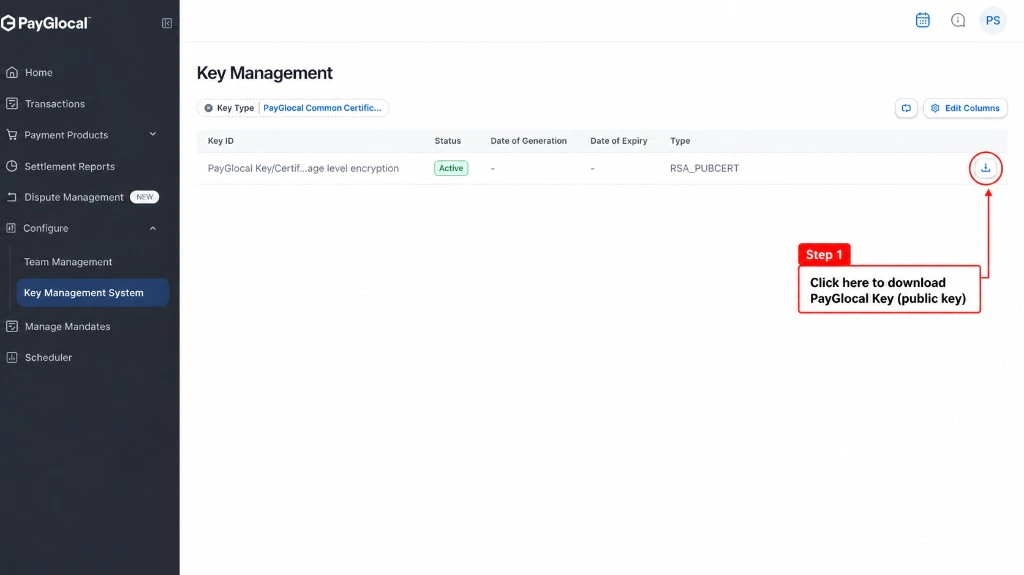
Download the PayGlocal Common Certificate
Downloading Private Key
Filter by Key Type
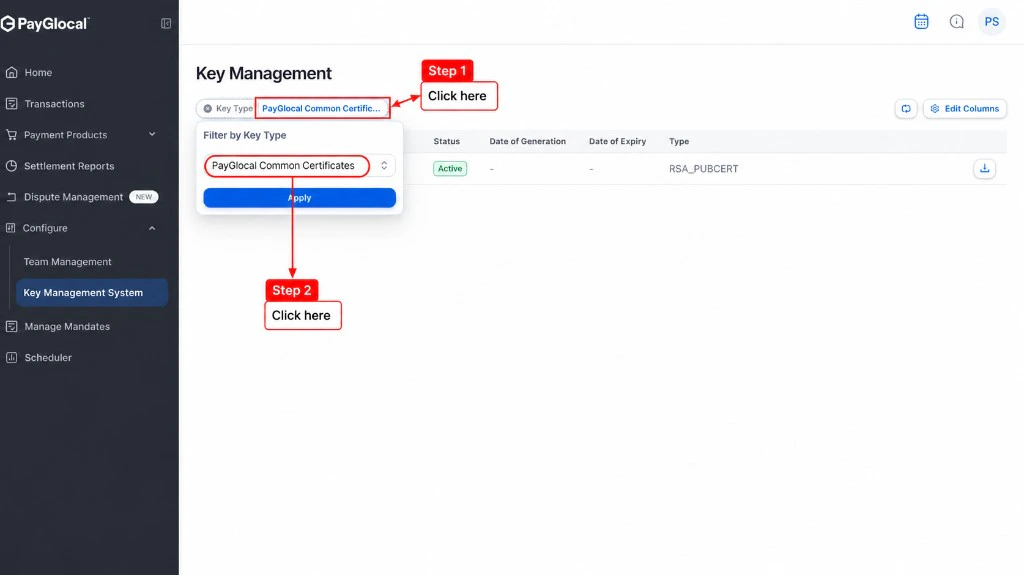
Open the Key Type filter
Select RSA
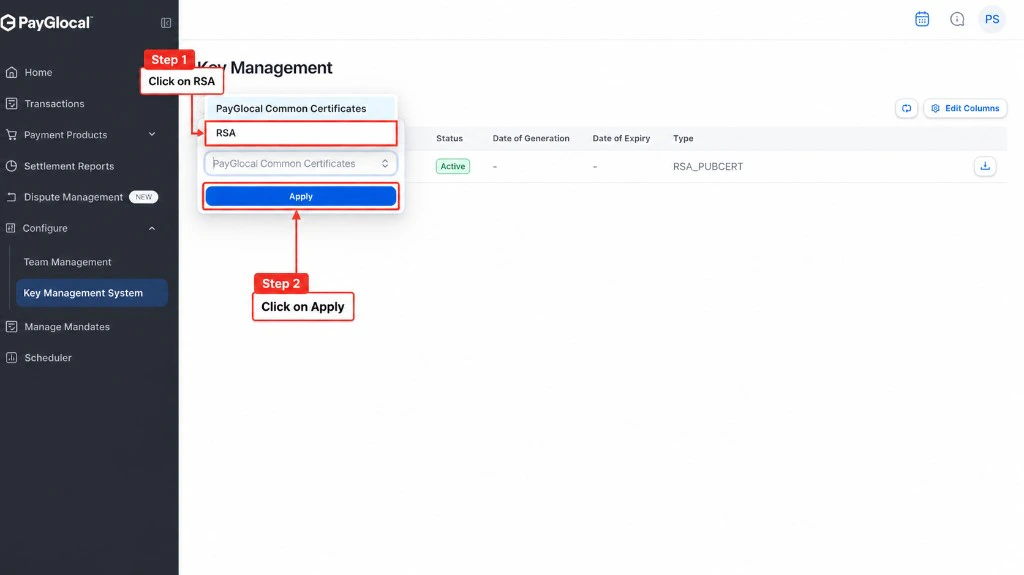
Select RSA, then Apply
Generate RSA Key
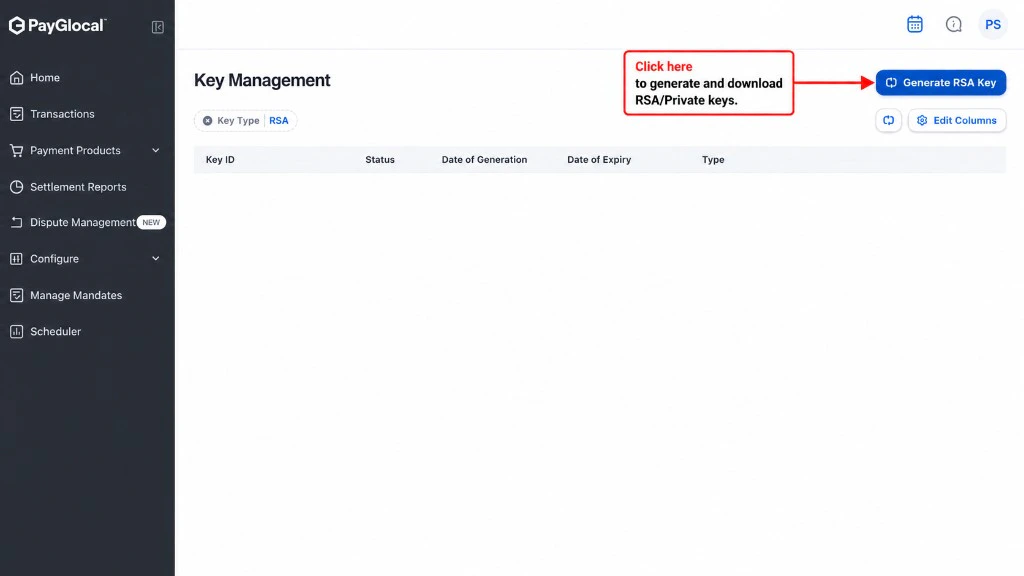
Generate a new RSA key pair
Download Your Private Key
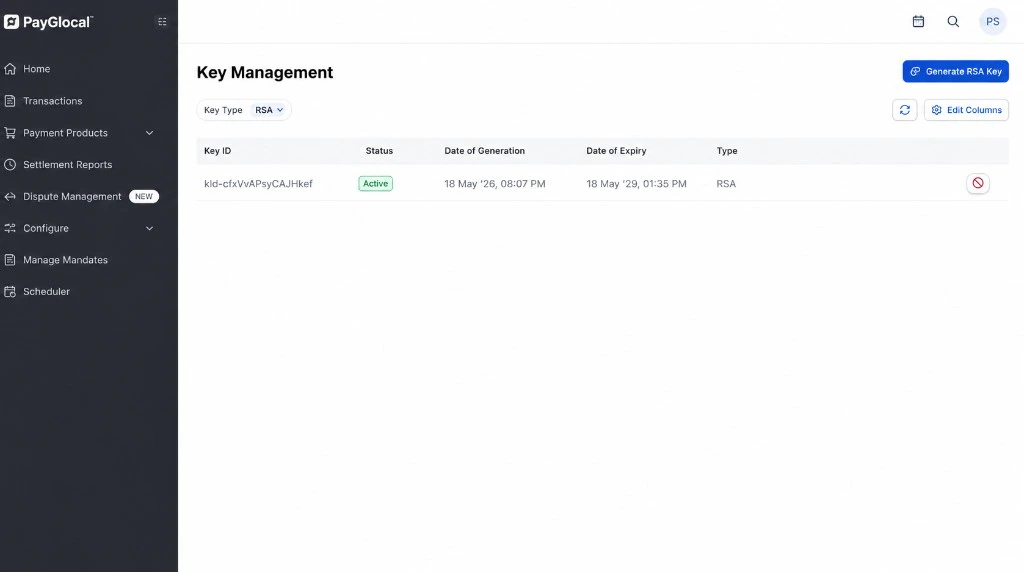
Download your private key — available only once
Key IDs (Public KID & Private KID)
You don’t have to hunt for Key IDs separately — each is embedded in the filename of the file you downloaded. The Private Key ID is also shown directly in GCC.Fetching Public Key ID
The Public Key ID is embedded in the filename of PayGlocal’s certificate you downloaded from GCC.Go to your Downloads folder
View the filename
.pem file. It follows this pattern: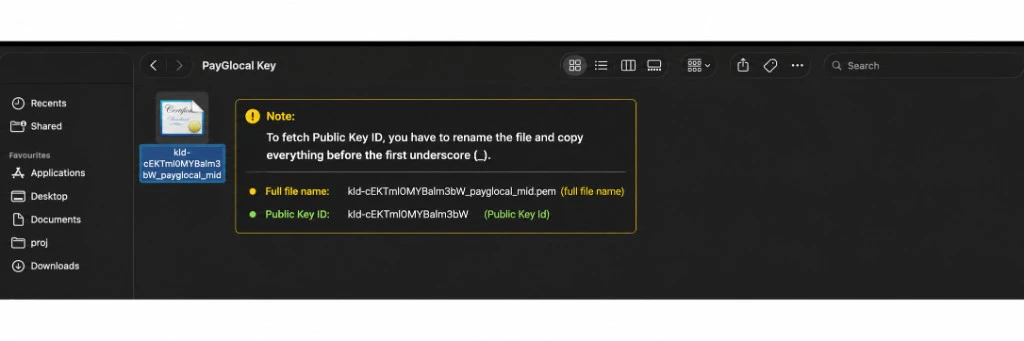
Public Key ID in the certificate filename
Copy everything before the first underscore
_).Example:- Full filename:
834hinrh-8r0n-4657-34nn-fnjhjre33uur_glocal.pem - Public Key ID (KID):
834hinrh-8r0n-4657-34nn-fnjhjre33uur
_), then press Escape so you don’t actually rename the file.Fetching Private Key ID
Unlike the Public Key ID, your Private Key ID can be fetched directly from the GCC dashboard where you generated the RSA key.Go to Key Management (RSA section)
Copy the Key ID from the table
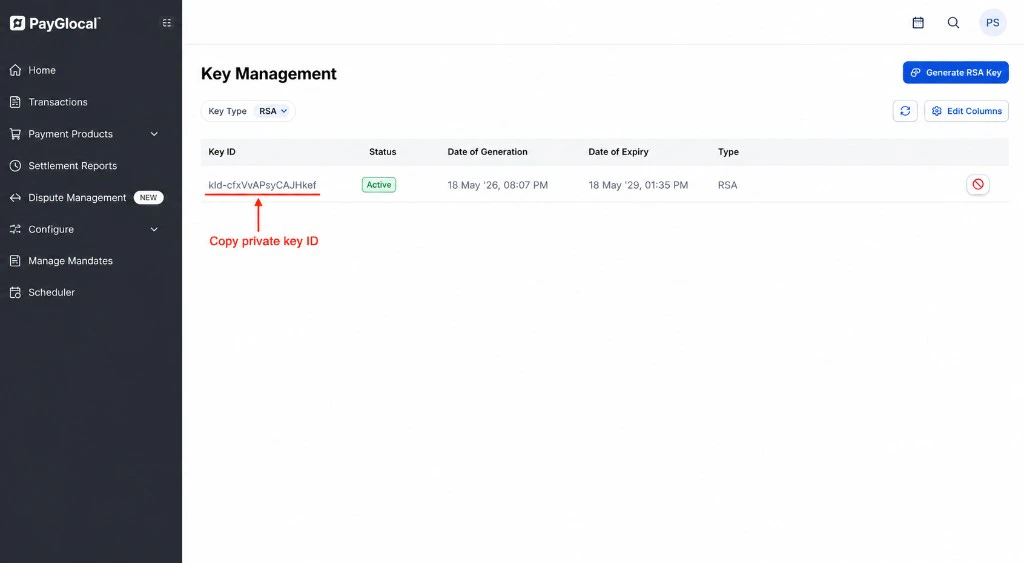
Private Key ID shown in the Key Management table
<kid>_<mid>.pem: the part before the first _ is your Private Key ID, and the part after it is your Merchant ID (MID). The dashboard method is easier since the Key ID is already displayed.Public Key ID Example
_Private Key ID Example
_