Send a payment link. Get paid from anywhere in the world.
Enter an amount and a purpose, or just tell Echo on WhatsApp. Share by WhatsApp, SMS, email or QR, and get notified the moment your customer pays, in India or abroad.
- RBI-authorised Payment Aggregator
- PCI DSS compliant
- No setup fee. Pay only when you transact.

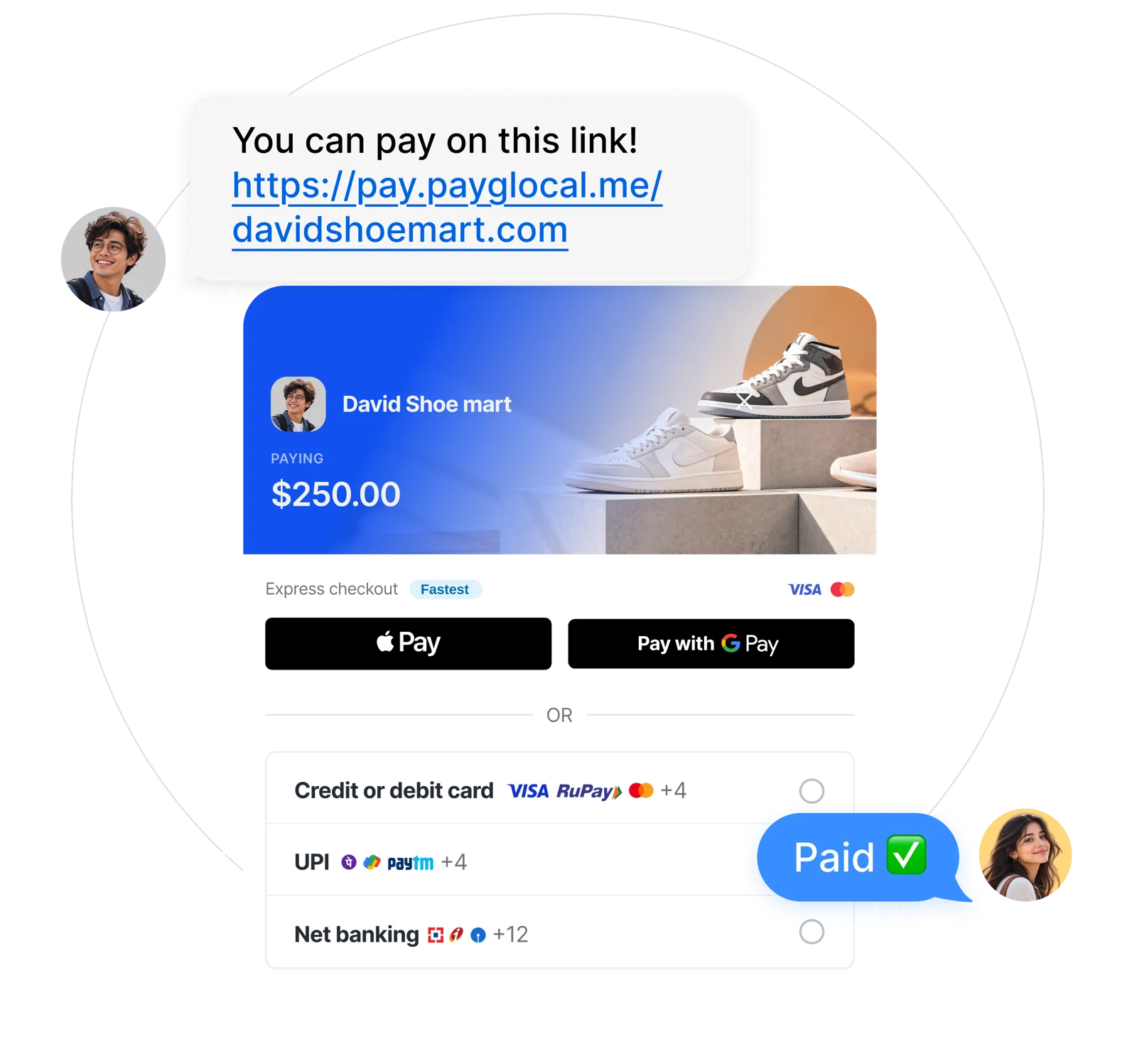
No code, no integrations required.
Steps to create
With Echo
Link, unlimited payments
Two fields. One link. Done.
Enter how much and what it is for. Your link is ready to share. Everything else is optional.
- STEP 01 OF 03
Enter the amount
Pick the currency and type the amount. Charge in INR or bill international customers in their currency.
- STEP 02 OF 03
Add the purpose
A short note like “Website design, Phase 1” so your customer knows what they are paying for.
- STEP 03 OF 03
Want more control? Add it when you need it.
Track every link by status
ActiveAuthorizedPaidExpiredDeactivatedand download reports anytime.
One link. Unlimited payments.
Claim your business handle once and reuse the same link forever. Customers enter the amount and pay. No new link for every sale.
Set it up once
01Confirm your link name
Share your link
Copy it once and put it anywhere your customers already are.
02Choose what to collect
Customers pay any amount
Collect from as many customers as you need, without creating a new link each time.
03Share it everywhere
Track every payment here
Every payment through your Static Link shows up in one place, filterable by status, payment method and country.
Payment links in under 10 seconds. Just ask.
Tell Echo what you need in plain language, by text or voice note. It creates the link, sends it to your customer, and tells you the moment they pay.
“Create a USD 500 payment link for Red Stone Jewellery.” Type it or send a voice note. Echo picks up the amount, currency and expiry from your message.
You get the link and a QR code instantly. Say “send it on WhatsApp and email” and Echo delivers it to your customer. No copy-pasting.
When your customer pays, Echo tells you on WhatsApp and in the Go app.

Bill once.
Get paid every cycle.
Turn any payment link into a recurring collection with one toggle. Your customer authorises once, and every payment after that is collected on schedule.
- Start date
- Choose when the first payment is due.
- Frequency
- Set how often it repeats, such as every month.
- Number of payments
- Decide how many cycles to collect.
- Subsequent amount
- Set the amount for each repeat payment, even if it differs from the first.

Create a payment link wherever you run your business
01WhatsApp
Message PayGlocal like you would message a colleague.
02PayGlocal Go app
Tap the Echo button on any screen.
03Dashboard
Open Echo from the corner of your PayGlocal dashboard.
- Works in 15+ languages, including Hinglish
- Voice notes supported
- Shares via WhatsApp, email and SMS
- No training needed for your sales team
Every conversation can
end in a payment.
Payment links work where a checkout page cannot. Send one the moment your customer is ready to pay.
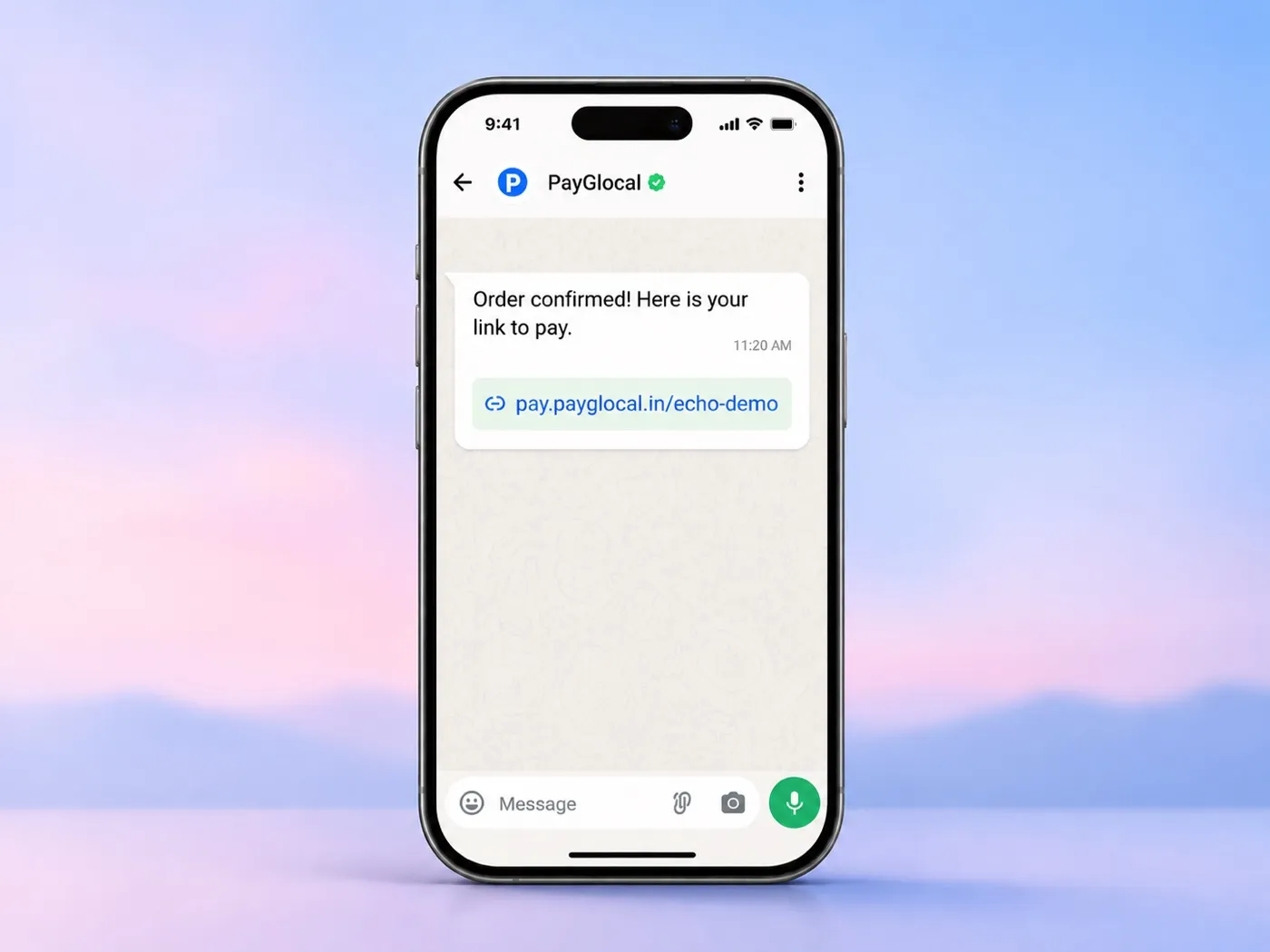
WhatsApp and chat
Drop a link into the conversation where the order was placed.
Questions? We have answers.
A payment link is a secure URL you send to a customer so they can pay you online, with no website or app needed. They open the link, choose how to pay, and you are notified the moment the payment goes through.
Enter the amount and the purpose, then tap Create. That is it. Customer details, expiry and recurring settings are optional. You can also ask Echo on WhatsApp, in the PayGlocal Go app, or in your dashboard.
Echo is PayGlocal's AI assistant. Send it a text or voice note and it creates the payment link, shares it with your customer on WhatsApp, email or SMS, and tells you when they pay.
Echo works in 15+ languages, including mixed languages like Hinglish.
A Static Link is one permanent payment link for your business, like pay.payglocal.in/@yourbrand. Any customer can use it to pay any amount, as many times as needed, so you never have to create a new link for each sale.
Yes, once. We suggest a name based on your business, and you can keep it or edit it one time. Choose something your customers will remember.
Yes. Switch on Recurring payment while creating the link, then set the start date, frequency, number of payments and the amount for each repeat payment.
Yes. Create links in INR or international currencies and collect from customers anywhere in the world.
Yes. Send a link while you are still on the call, or show your Static Link QR at the counter so customers can scan and pay.
You get a notification on WhatsApp and in the PayGlocal Go app, and the link status changes to Paid on your dashboard.
Yes. Choose 24 hours, 2 days, 1 week, 30 days, or any date and time you like.
Yes. Payments are processed by an RBI-authorised Payment Aggregator on PCI DSS compliant infrastructure, so card details never touch your systems.
No. Share links on WhatsApp, SMS, email, social media or as a QR code.
There is no setup fee. You pay only when you transact.
Your next payment is
one link away.
Create a link in two steps, ask Echo in one message, or claim your Static Link today.